Faction Radio System
€14.99
- Instant Delivery
- Easy Configuration
- Secure & Optimized
- 24/7 Support
alone-radio - Professional Faction Radio for FiveM
Want radio communication on your server to feel serious, clean, and fast?
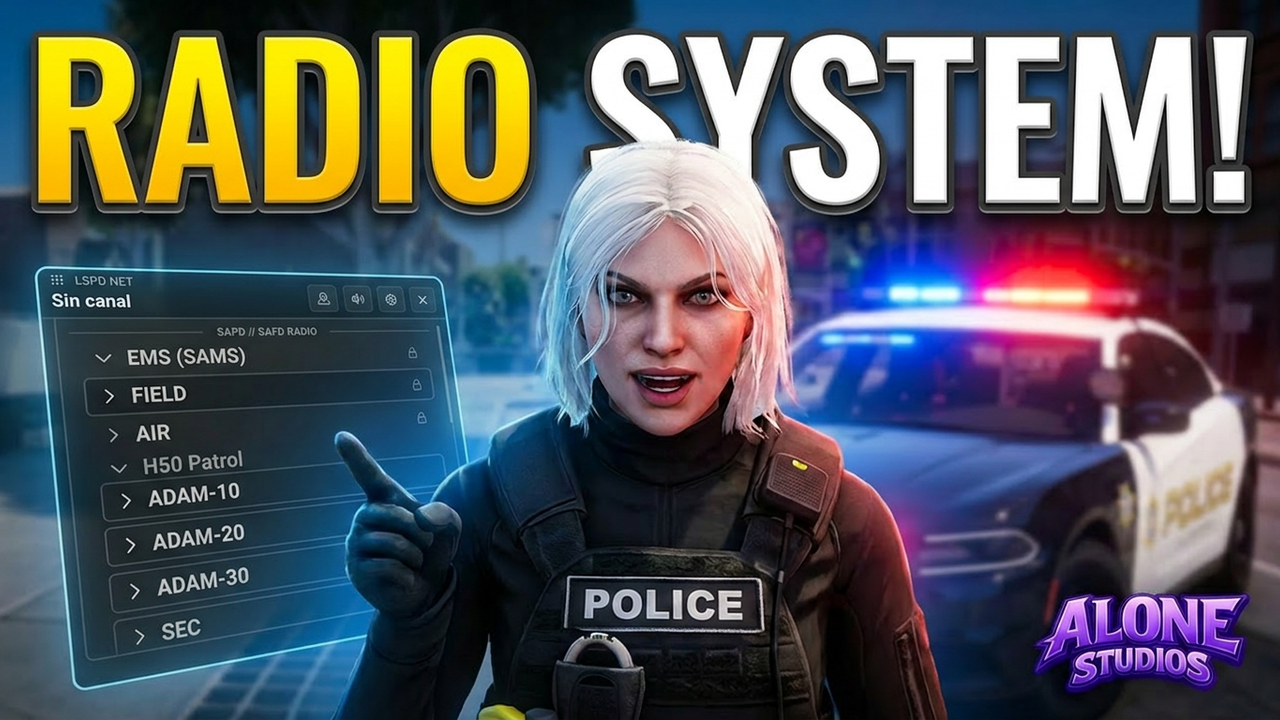
alone-radio gives your police and medical units a full operational radio system with command tools, emergency workflows, and a modern UI your officers and paramedics can understand in seconds.
No messy setup. No confusing workflow. Just install, configure, and go live.
---
WHY SERVER OWNERS LIKE IT
---
- Designed for police and medical operations, not generic public radio.
- Easy for officers, paramedics, and dispatchers to use from day one.
- Strong server-side protection against abuse.
- Feels premium in both gameplay and UI.
---
FEATURES
---
TeamSpeak-style channel structure
Main channels and sub-channels for command, patrol, tactical, EMS dispatch, and special units. Each network is fully isolated with its own theme and frequency range.
Instant panic button
Trigger emergency alerts with a single key. Automatically broadcasts to the entire faction with the officer's location and street name.
Command whisper tools
Talk to one channel, one player, or entire sub-channel groups without changing your own active channel.
Dispatch dashboard and blackbox logs
Command-grade players get a full overview of all units, activity graph, and event history for better operational control.
Real-time unit blips
Track every active team member on the minimap with custom icons and colors. Configurable per job group with movement and heading thresholds.
Favorites, hotkeys, and saved preferences
Players save their most-used channels to number pad hotkeys. Settings persist between sessions.
Signal interference zones
Define areas where radio signal degrades or cuts out entirely. Tunnels, dead zones, and city coverage radius are all configurable.
Encrypted channels with scanner system
Channels can be marked as encrypted with weak, standard, or military-grade tiers. Opposing players can attempt to scan them using a skill-check minigame.
Framework auto-detection
Detects QBox, QB-Core, or ESX automatically. Includes open bridge files for custom integrations or standalone use.
---
COMPATIBILITY
---
QBox - Yes
QB-Core - Yes
ESX - Yes
Standalone - Yes (open bridge files included)
---
REQUIREMENTS
---
- ox_lib
- pma-voice
- ox_inventory (optional, for radio item checks)
---
INSTALLATION
---
1. Place alone-radio in your resources folder.
2. Ensure dependencies start before it:
ensure ox_lib
ensure pma-voice
3. Add ensure alone-radio to your server.cfg.
4. Open config.lua and configure your jobs, channels, ranks, and permissions.
5. Restart your server and test.
---
PRODUCT INFO
---
Code accessible - No (escrow-protected core, config.lua and bridge files are fully open)
Subscription - No, one-time purchase
Lines (approx.) - 5,700
Requirements - ox_lib, pma-voice
Optional - ox_inventory
Support - Yes, via Discord
Get your script immediately after purchase via email and Keymaster.
Our code is obfuscated for security and optimized for 0.00ms resmon.
Need help? Our dedicated support team is available around the clock.
The framework compatibility is specified by the category the script is listed in. Our newer scripts also have all framework specific code editable meaning you are able to adapt them to work with any framework.
We provide extensive support through our Discord server. We also have a documentation for our scripts.
After completing your purchase, your products will appear in your Cfx.re Keymaster and Cfx.re Portal. Our scripts include a README file with basic installation instructions.
Yes, our scripts are protected by Escrow. However, the config.lua and bridge files are always open for editing.
Enhance your FiveM server with Faction Radio System. This resource is optimized for performance and compatible with major frameworks like ESX and QBCore.
We act to ensure the highest quality standards. If you have any questions, our support team is ready to help.